


NewBrand Canon, by UI Wiki Studio

Your AI, finally on brand.

Your team makes a lot of things with AI now. Pages, posts, decks. Every one looks like a different company made it. We build your brand system and plug it into your AI, so everything comes back looking like you.

the problem

Four prompts. Four different companies.

AI is fast. It just doesn't know who you are. Ask it for a poster, a website, a deck and a post, and you get four fonts, four palettes and four tones of voice. (Your logo, if you're lucky.) Drag the slider to see the same asks with a brand system behind them.

BeforeAfter
A good AI-made Friday Social poster with no brand behind it, in another company's look: rooftop photo, white capitals and an invented bird logo
“We have an event on Friday, make a poster”
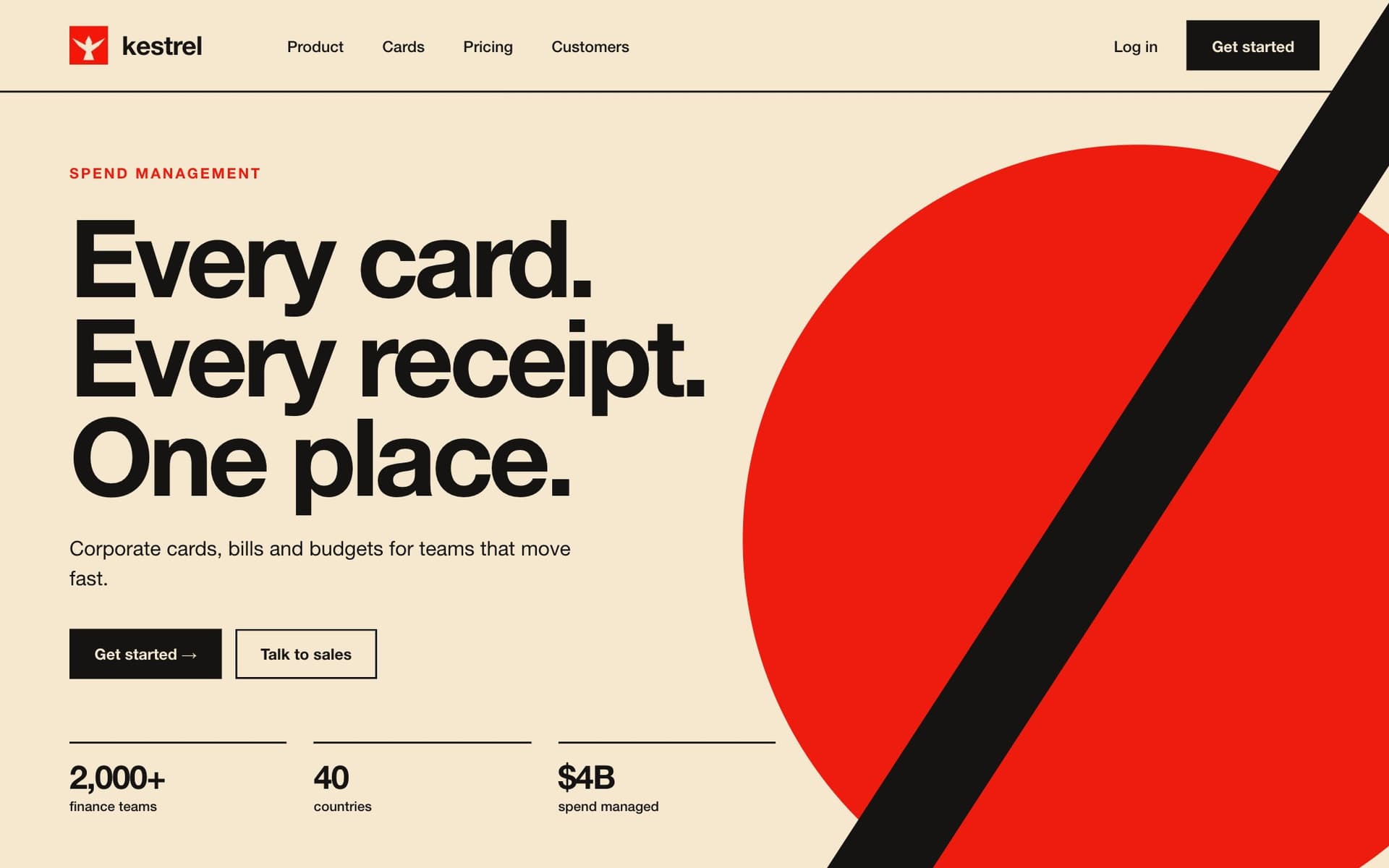
A good AI-made Kestrel website with no brand behind it, in another company's look: Swiss grid, signal red on cream, Every card. Every receipt. One place.
“Make the hero for our website”
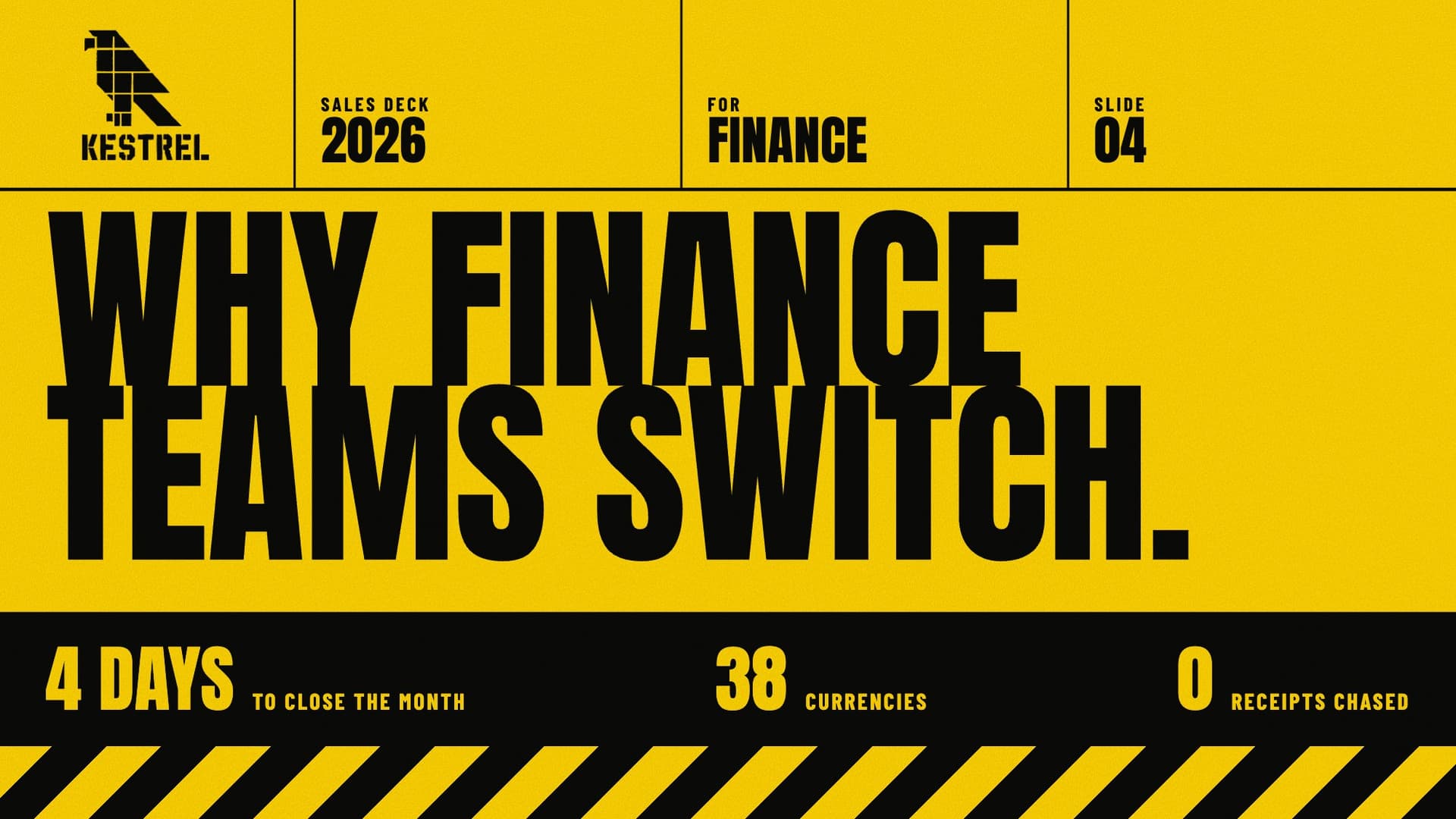
A good AI-made Kestrel slide with no brand behind it, in another company's look: cadmium yellow and black, stencil bird logo, WHY FINANCE TEAMS SWITCH
“A slide on why finance teams switch to us”
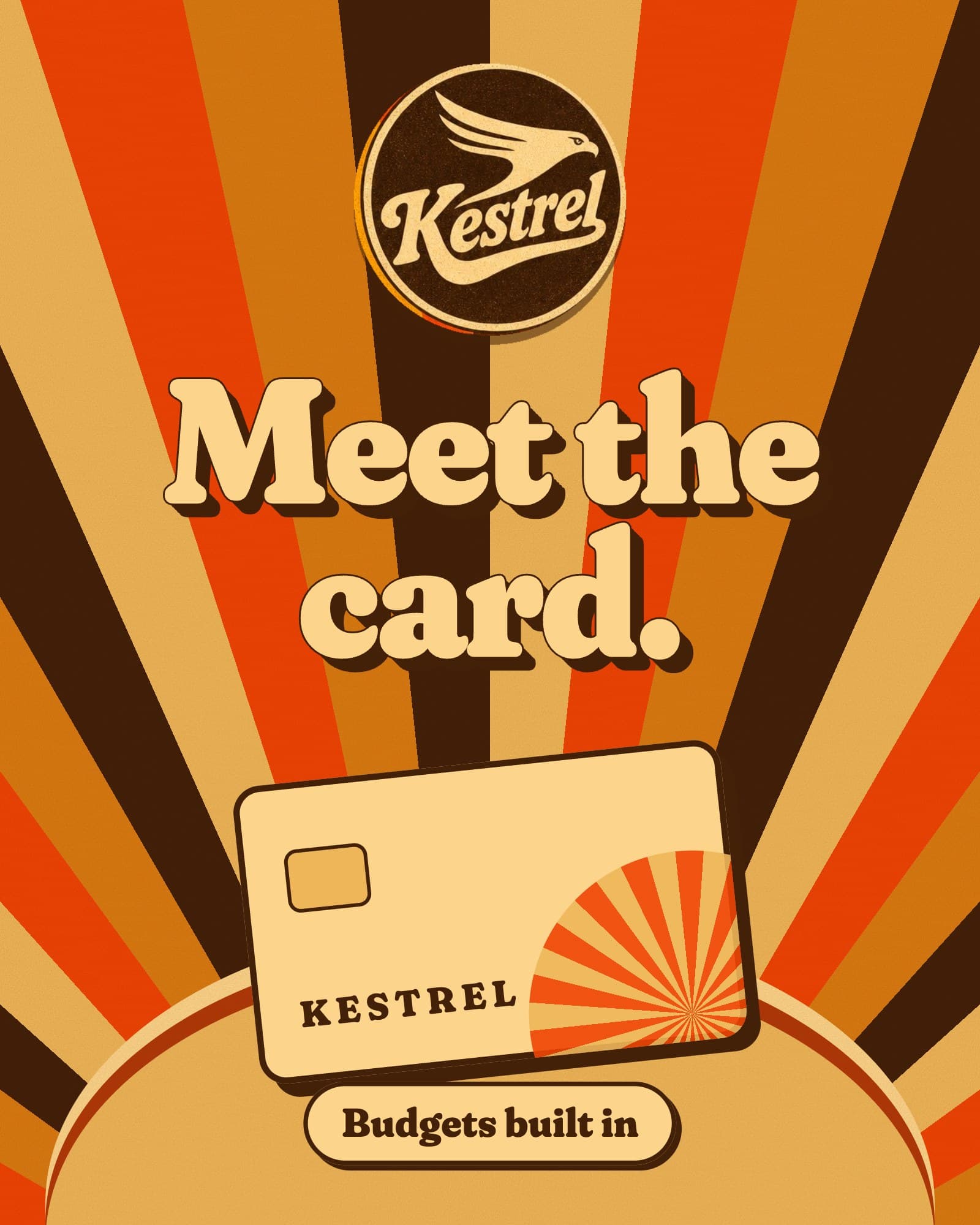
A good AI-made Kestrel post with no brand behind it, in another company's look: 70s sunburst, a script badge, Meet the card.
“A post for our new cards”
Kestrel's Friday Social poster, on brand: blue Bricolage headline, a rooftop photo, and the When, Where and Who row
“We have an event on Friday, make a poster”
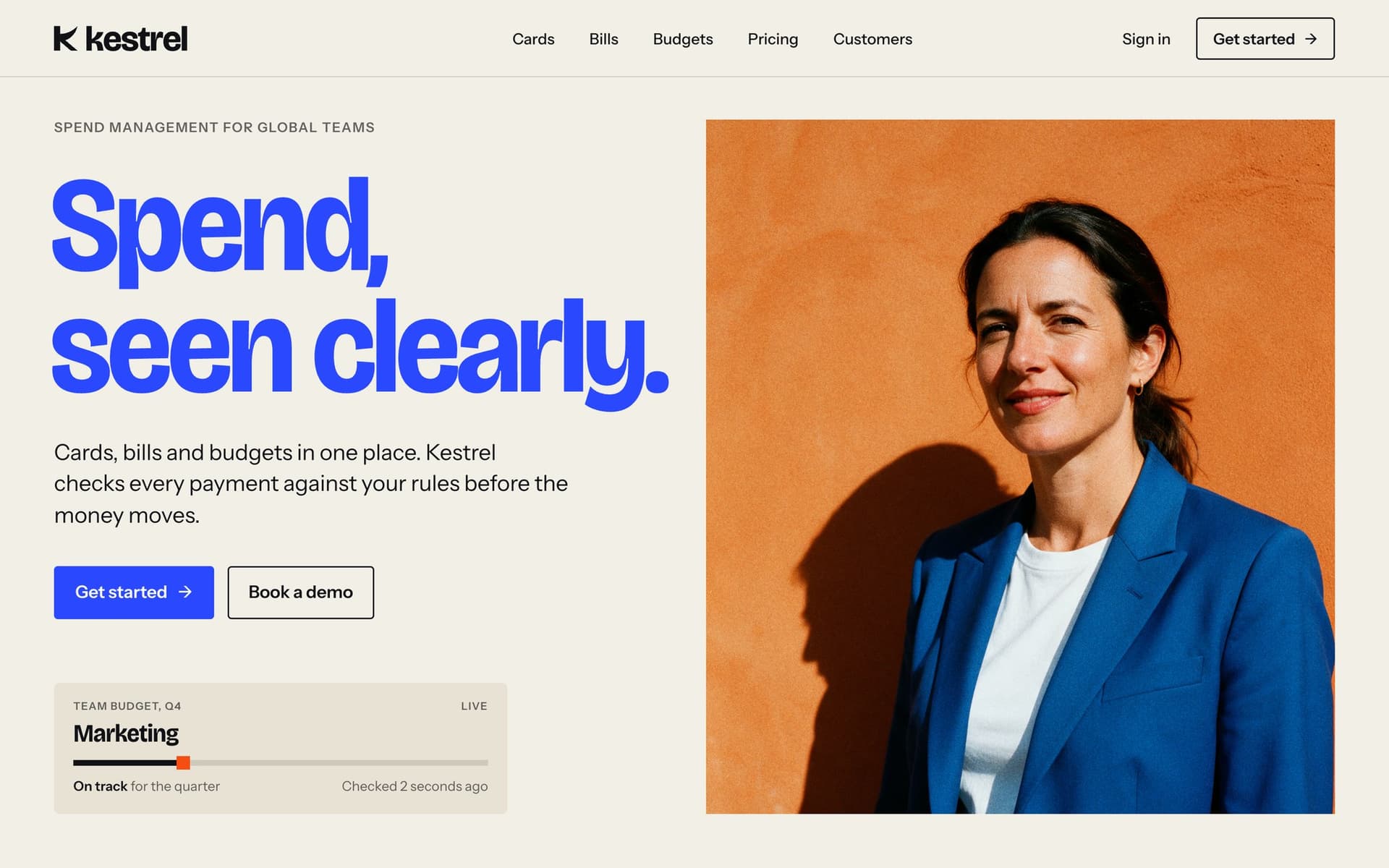
Kestrel's website hero, on brand: Spend, seen clearly, with a live budget and a portrait
“Make the hero for our website”
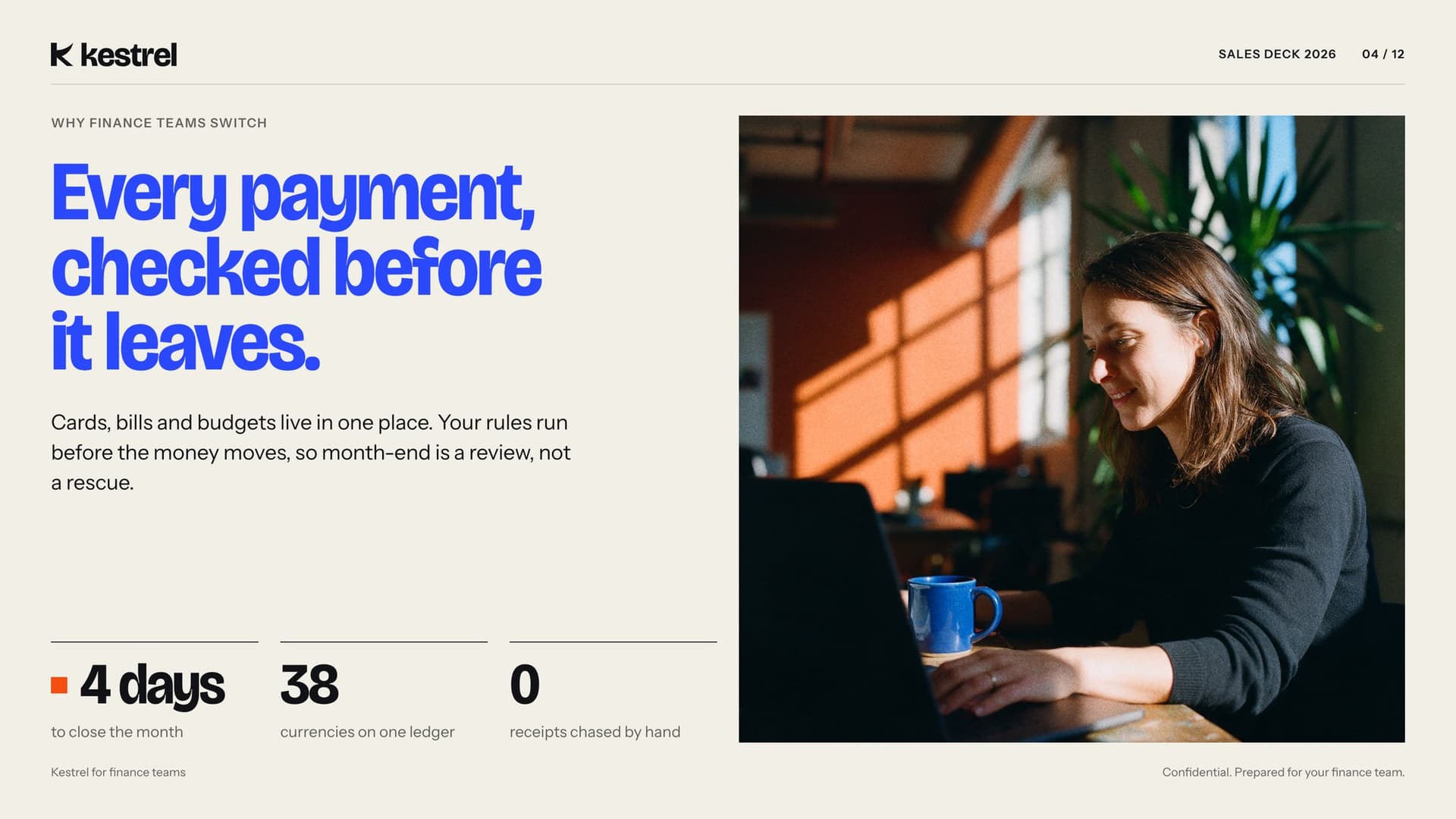
Kestrel's sales slide, on brand: Every payment, checked before it leaves
“A slide on why finance teams switch to us”
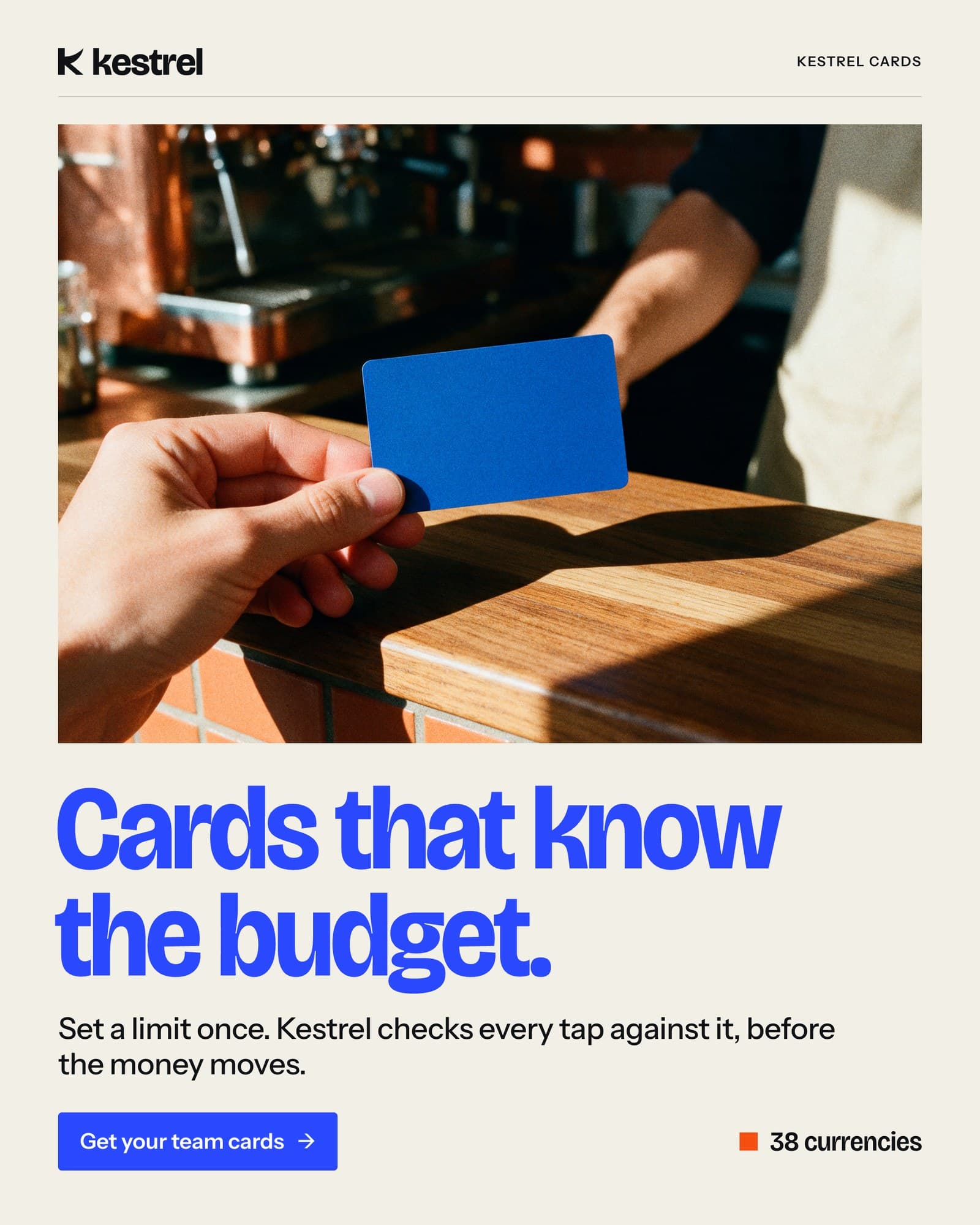
Kestrel's social post, on brand: Cards that know the budget
“A post for our new cards”

what it is

A design partner that sits inside every prompt.

Brand Canon is your brand, written down in a way AI can actually follow. We design it (or tidy up the one you already have), turn it into rules, tokens and templates, and plug it into the tools your team uses. After that, it doesn't matter who's prompting. The work comes back looking and sounding like you.

kestrel.brand
brand
Kestrel
color.primary
#2F4BFF
color.fix
#E9531D
color.paper
#F2EFE7
font.display
Bricolage Grotesque
font.text
Instrument Sans
radius.button
4px
voice.tone
plain, exact, warm
blue.never
on photos
  • ChatGPT
  • Claude
  • Cursor
  • Figma
  • Gemini
  • Lovable
01

We design it.

Logo, color, type, voice and components. Decided once, written down properly.

02

We teach it to your AI.

Tokens, rules and examples your AI tools read before they make anything.

03

You make anything.

Pages, posts, decks, emails. Whoever asks, it comes back on brand.

what's inside

We build all of it. You just ask.

Six parts, made to work together. Your team never has to touch the plumbing (unless they want to).

The Kestrel logo
AaBricolage Grotesque
Instrument Sans
Paper#F2EFE7
Ink#111216
Kestrel Blue#2F4BFF
Rufous#E9531D
Paper 2#E7E2D6

Brand foundations

Logo, color, type, imagery and icons. The visual core, decided once and written down so nobody has to guess.
We say

Close the month in four days.

We never say

Unlock seamless financial synergy.

Voice and tone

The words you use, the words you never use, and real examples of both. So your AI copy stops sounding like AI copy.

--color-primary#2F4BFF
--color-fix#E9531D
--font-displayBricolage
--radius-button4px
--gutter24px

Design tokens

Color, type, spacing and radius as code. Your AI tools and your developers read from the same file.

Get started →Book a demo
2,000.00USD
ApprovedReceipt

Component library

Buttons, cards, forms and navigation, in Figma and in code. Generated pages use your parts, not generic ones.

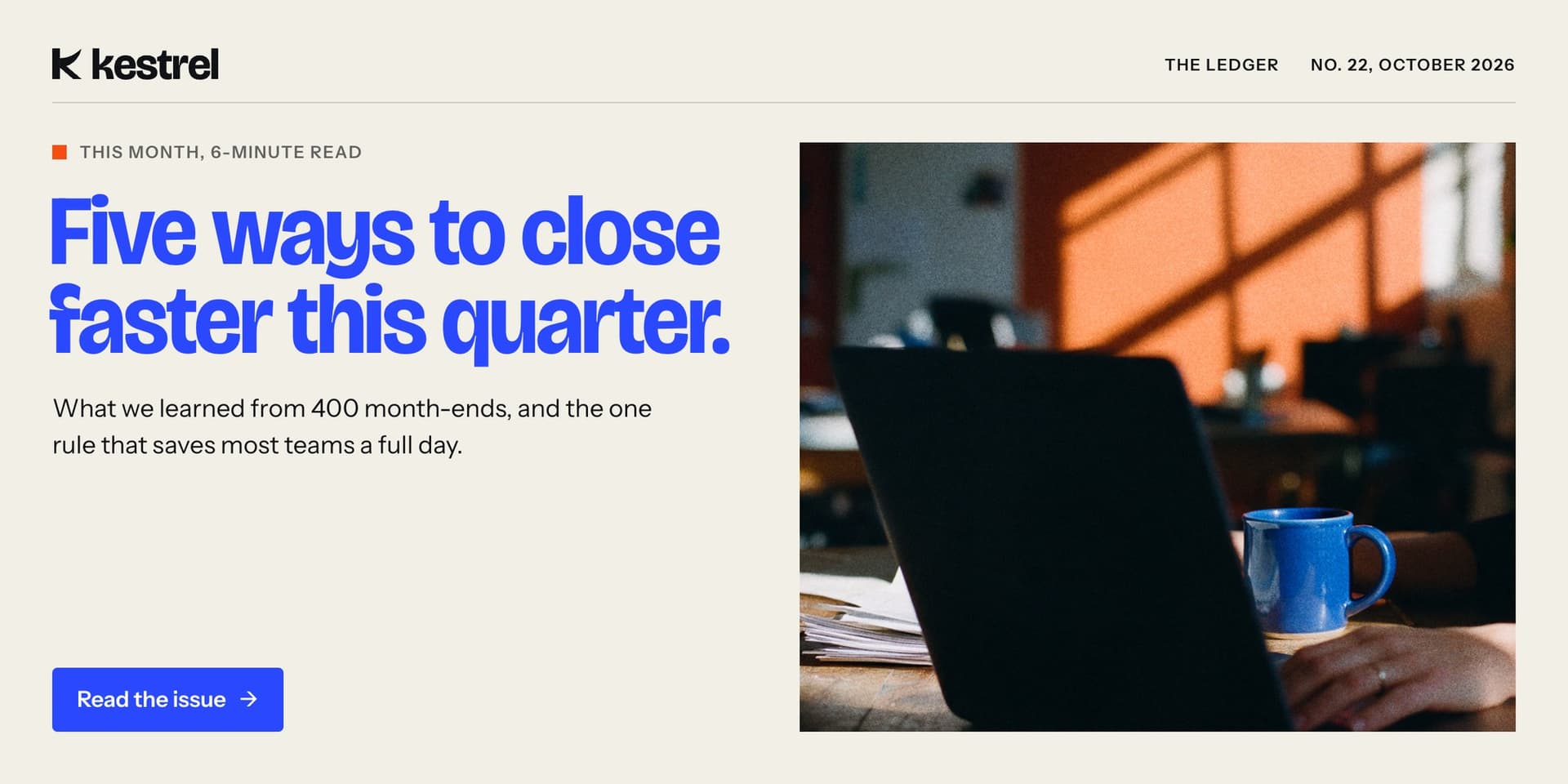
Kestrel's newsletter header
Kestrel's social post
Kestrel's sales slide

Templates

Decks, posts, ads, one-pagers and emails. The formats you make every week, ready to fill.

The part that makes it work

The AI layer

Everything above, set up inside the tools your team already uses. This is what keeps every output on brand.

  • Rules filesYour brand as instructions an AI reads first.
  • Prompt libraryTested prompts for the things you make most.
  • Agent setupWired into the assistants and tools you use.
  • Team walkthroughEveryone knows how to ask, and what to expect.

one system, every surface

Ask for anything. Get it on brand.

Websites, apps, marketing and sales. Pick one and see what comes back when the AI knows the brand. (The brand here is Kestrel, a spend-management company we made up. Yours would be yours.)

Make the hero for our website

Kestrel's website hero: Spend, seen clearly, with a live budget and a portrait

who it's for

Everyone makes things now. It should all match.

Marketing

Campaigns, posts and ads that look like one brand made them. Because one did.

Sales

Decks and one-pagers that match the website your prospect just left.

Product

Screens prototyped with AI that already use your components and your words.

Founders

Make the investor update at midnight. It still looks designed.

how it works

From your brand to your AI, in four steps.

Senior designers do every step. AI helps with the groundwork, the same way it will for your team once the system is in.

  1. Audit

    We look at your brand as it is today, and at how your team actually uses AI. What gets made, by whom, in which tools.

  2. Design

    We build the system, or fix the one you have. Foundations, voice, components and templates. You sign off on every piece.

  3. Encode

    We turn it into things AI can follow: tokens, rules, examples and prompts. Then we test it on real asks until the output holds up.

  4. Connect

    We set it up inside your tools and walk your team through it. From there, anyone on the team can make on-brand work.

Brands move. The system moves with them.

On a monthly plan we keep it current as you grow, so your AI never works from an old version of you.

questions

Fair questions.

The ones your team already uses. Chat assistants like ChatGPT and Claude, coding tools like Cursor, design tools like Figma. If a tool can read instructions or files, we can set it up there. We'll go through your stack on the first call.

You have the first half. Most guidelines are a PDF written for people, and AI can't do much with a PDF. We start from what you have and turn it into something your tools can follow.

Yes. We design the identity first, then build the system on top of it. Same studio, same team, one handover.

The system changes with it. Update it once and every connected tool picks up the new version. On a monthly plan, we do that part for you.

No (and we'd be odd people to say so). It handles the everyday stuff, so your designers, or ours, spend their time on the work that needs a person.

It depends on where you start. A brand that already exists moves faster than one we design from scratch. We'll give you a real timeline after the first call.

ready when you are

Teach your AI what you look like.

If your team makes things with AI every week, this is probably worth twenty minutes. Tell us what you're making and we'll show you how it would work.

hello@uiwiki.co